

Documentation Index
Fetch the complete documentation index at: https://docs.knotie-ai.pro/llms.txt
Use this file to discover all available pages before exploring further.
What you can do
The VPS section of the Partner Portal lets you:- Purchase VPS servers for your customers (6 plan tiers, 75.57/mo)
- Create App Packages — bundle apps with a VPS plan and set your own customer price
- Reinstall instances — swap the software stack on an existing VPS without destroying customer data
- Control visibility — choose which plans your customers can see
Purchasing a VPS
Navigate to VPS Servers from the Infrastructure section of the sidebar.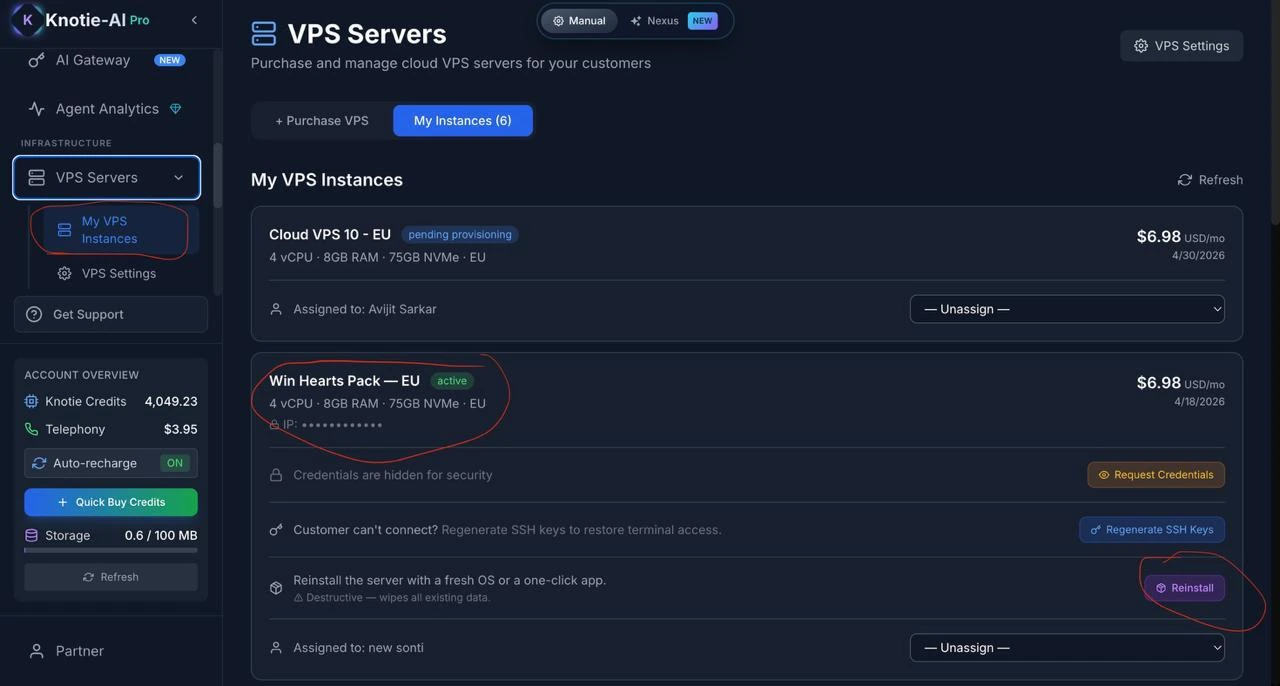
Available plans
| Plan | vCPU | RAM | NVMe | Speed | Best for |
|---|---|---|---|---|---|
| Cloud VPS 10 | 4 | 8 GB | 75 GB | 200 Mbps | Small projects, dev environments |
| Cloud VPS 20 | 6 | 12 GB | 100 GB | 400 Mbps | Web apps, databases |
| Cloud VPS 30 | 8 | 24 GB | 200 GB | 600 Mbps | Production workloads |
| Cloud VPS 40 | 12 | 48 GB | 250 GB | 800 Mbps | High-traffic, CI/CD |
| Cloud VPS 50 | 16 | 64 GB | 300 GB | 1 Gbps | Enterprise workloads |
| Cloud VPS 60 | 18 | 96 GB | 350 GB | 1 Gbps | AI workloads, large databases |
Managing Instances
Switch to the My Instances tab to see your VPS servers. Each instance card shows: name, IP address, status (active/suspended/cancelled), which customer it’s assigned to, and the monthly cost.Reinstalling with a new app or stack
Click Reinstall on any active instance to open the app selection modal.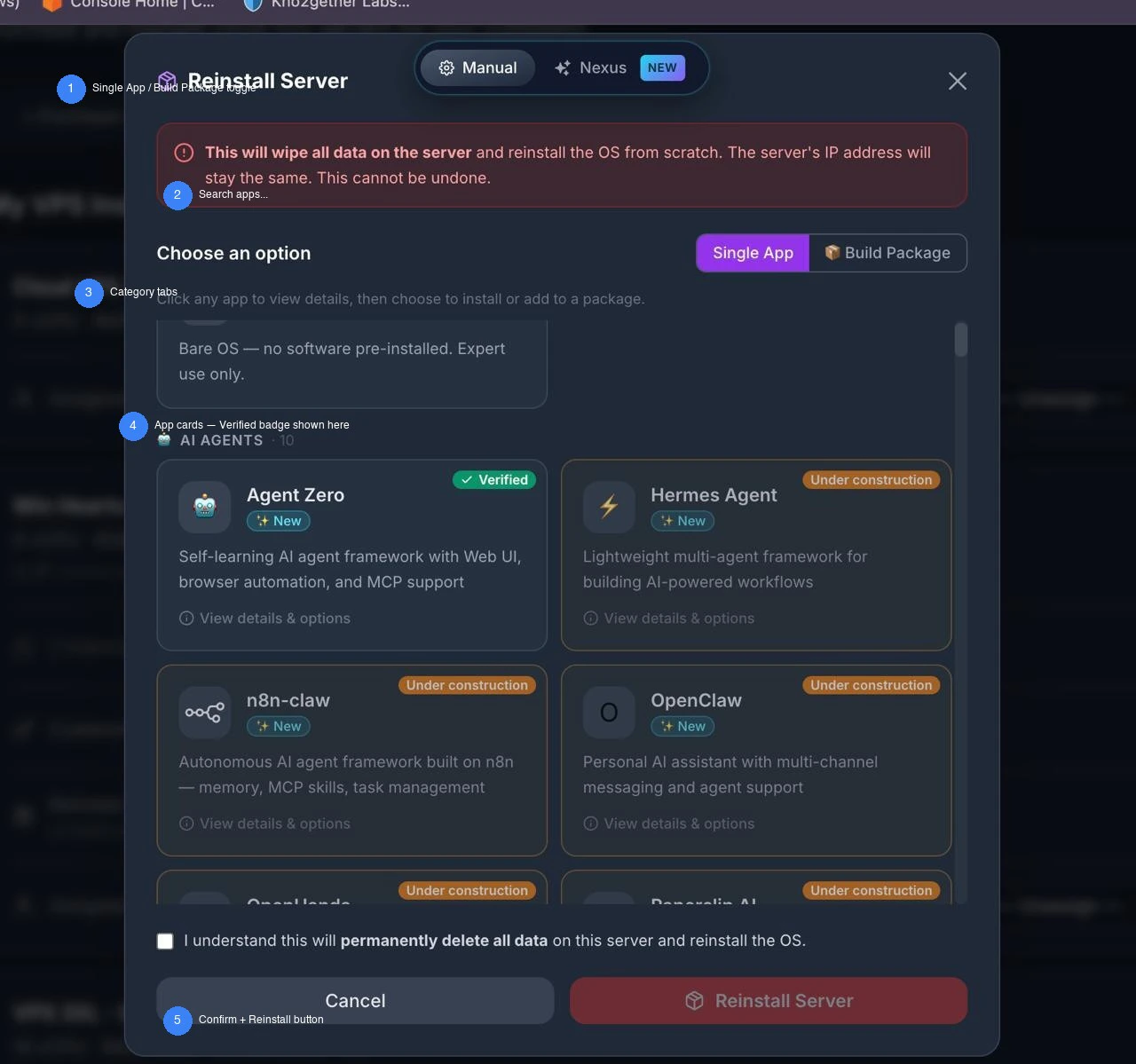
Single App mode
Choose one application to install:- Clean Ubuntu — bare OS, no software pre-installed. Expert use only.
- Docker + Portainer — the platform default stack. Installed on every new VPS unless you choose something else.
- Any other app from the catalog (OpenClaw, n8n, Ollama, Nextcloud, etc.)
Build Package mode
Build a custom stack of multiple apps that install together. Useful for pre-configured offerings like “AI Agent Stack” (OpenClaw + Ollama + n8n).- Click + Add to Package on any app card
- Port conflicts are detected automatically and shown as a warning — apps sharing the same port cannot be installed together
- Total estimated RAM is shown based on selected apps
- Click Remove (✕) on a tag to unselect an app
Confirm and reinstall
Both modes require you to:- Check the confirmation box: “I understand this will permanently delete all data on this server and reinstall the OS.”
- Click Reinstall VPS
pending_reinstallation and the platform runs the cloud-init script on the Contabo VPS.
App Packages (VPS Settings)
In VPS Settings, scroll to App Packages to create pre-configured bundles you can offer customers as a single product.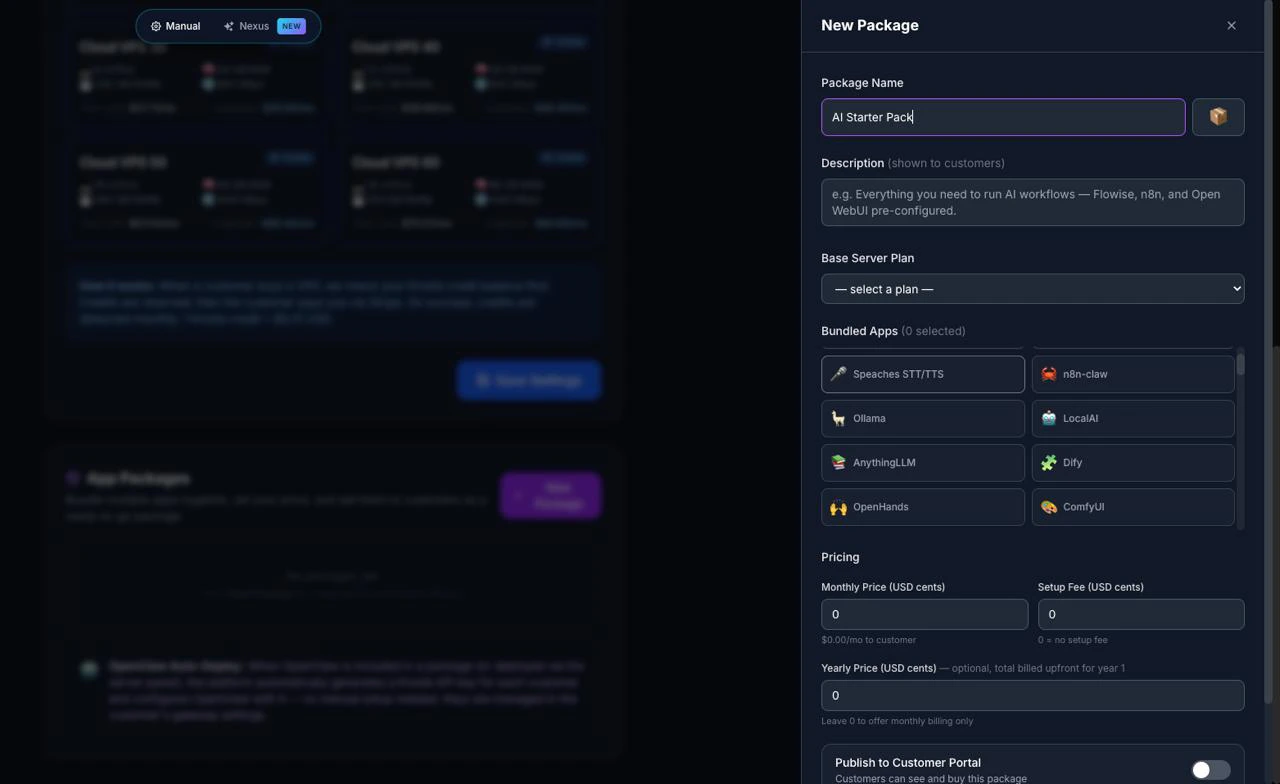
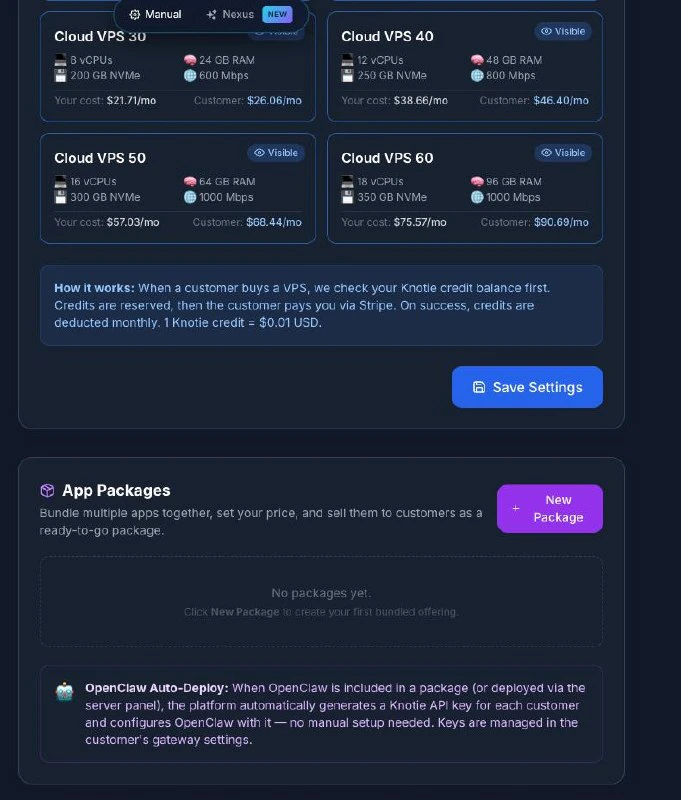
Create a package
- Click New Package — a sidebar slides in from the right
- Enter a package name — e.g. “AI Starter Stack”, “Automation Pro”
- Choose a base VPS plan to bundle with (e.g. Cloud VPS 10, 20, 30…)
- Toggle which apps to include — OpenClaw is automatically provisioned with a Knotie API key for each customer
- Set your monthly/yearly price — shown to customers in their whitelabel portal
- Toggle visibility per plan (show on Cloud VPS 20+ but not VPS 10, for example)
- Click Save
VPS Settings
| Setting | What it does |
|---|---|
| Enable VPS for Customers | Toggle on/off — lets customers purchase VPS from their whitelabel portal |
| Customer Margin (%) | Markup on your partner cost. Example: Cloud VPS 10 costs you 8.38/mo. Can be overridden per customer. |
| Display Currency | Currency shown to customers (USD, GBP, EUR, AUD, CAD, SGD, INR). Your billing from Knotie is always in USD. |
| Plan Visibility | Choose which server plans customers can see. All 6 shown by default. |
App Catalog (Full List)
When you click any app card in the reinstall modal, you see the full app detail view with:- Name + emoji/logo — unique icon for the app
- Description — one-line summary of what the app does
- Features — key capabilities as bullet points
- Tags — searchable labels (e.g.
#llm,#chatbot,#automation) - Resource estimate — approximate RAM usage
- Access port — primary port the app listens on
- License — open source license (MIT, Apache 2.0, etc.)
- Links — official website and GitHub repository
App status badges
Only one badge appears in the reinstall modal:- Platform default — shown on the Docker + Portainer card (the default stack on every new VPS)
- New — app added to the platform within the last ~6 months
- Popular — widely used in the self-hosted ecosystem
- Beta — functional but not yet verified on a production VPS
Related pages
- OpenClaw Partner Setup — Full setup guide for deploying OpenClaw on a VPS
- VPS Terminal — Give customers browser-based SSH access
- Auto Deploy — Automated provisioning workflows