Documentation Index
Fetch the complete documentation index at: https://docs.knotie-ai.pro/llms.txt
Use this file to discover all available pages before exploring further.
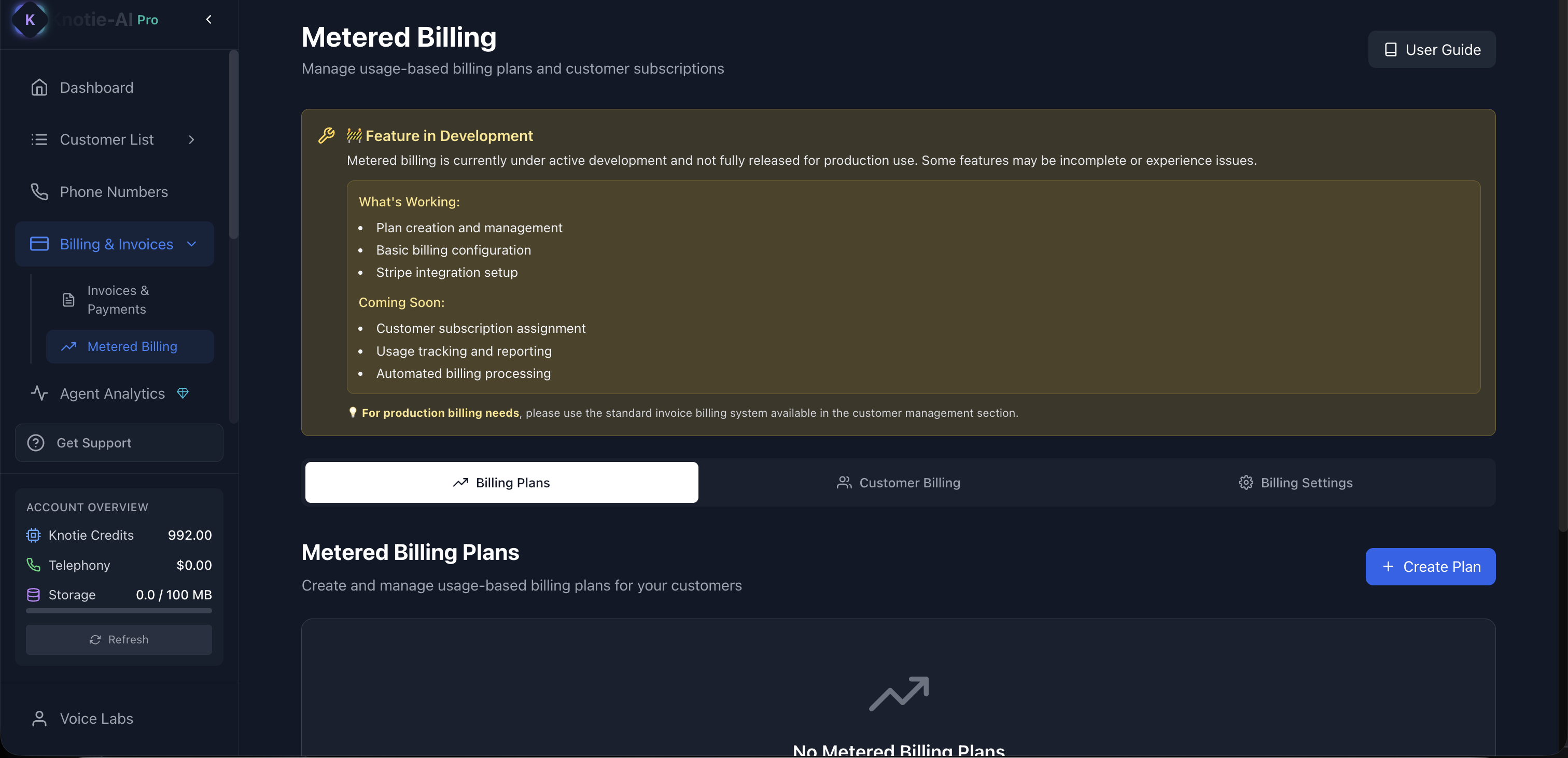
What Metered Billing is
Metered Billing is used when you want to charge customers based on usage (for example: minutes, calls, or another tracked unit). In the Partner Portal, this section includes:- Billing Plans: define what you charge
- Customer Billing: assign plans to customers (as features are released)
- Billing Settings: connect billing tools like Stripe (as required)
Important note: feature status
The Metered Billing page currently shows a Feature in Development notice. That means:- Some parts may be incomplete.
- If you need production billing today, use Billing & Invoices.
Where to find it
In the Partner Portal sidebar:- Billing & Invoices
- Metered Billing
Stripe Connect requirement
Metered Billing requires Stripe Connect. If the page shows a message like Stripe Connect Required:- Go to Settings.
- Complete Stripe onboarding.
- Return to Metered Billing.
Tabs in Metered Billing
Billing Plans
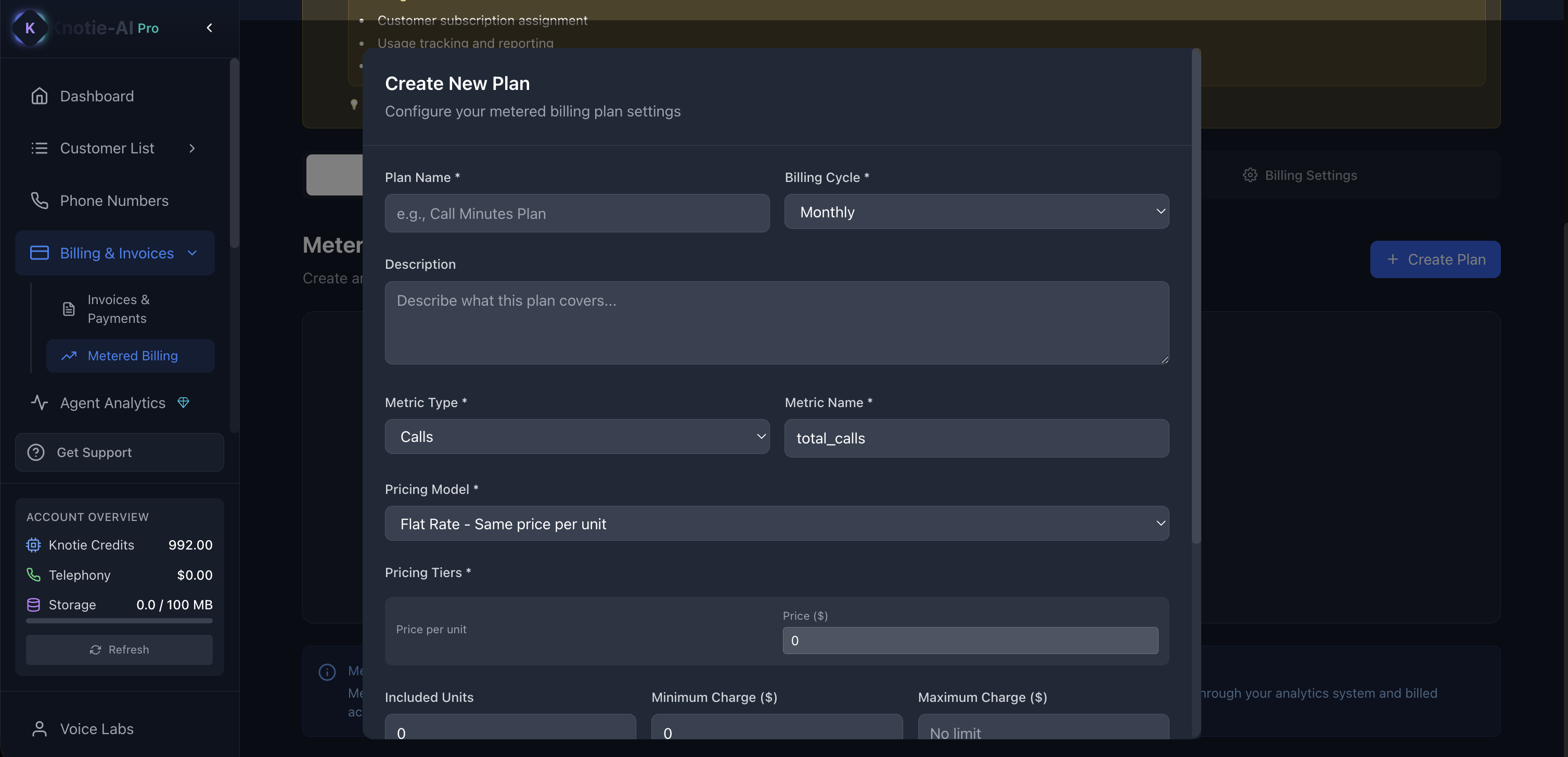
Use this tab to:- Create a plan
- Define the price model (based on your configuration)
- Update or disable plans
Customer Billing
Use this tab to:- Select a customer
- Assign them a billing plan
- Manage subscription settings
Billing Settings
Use this tab to:- Confirm Stripe is connected
- Configure billing preferences
Tips
- Start with a simple plan structure that is easy for customers to understand.
- Use Agent Analytics to validate costs before choosing your final markup.
Screenshots